8:04 AM
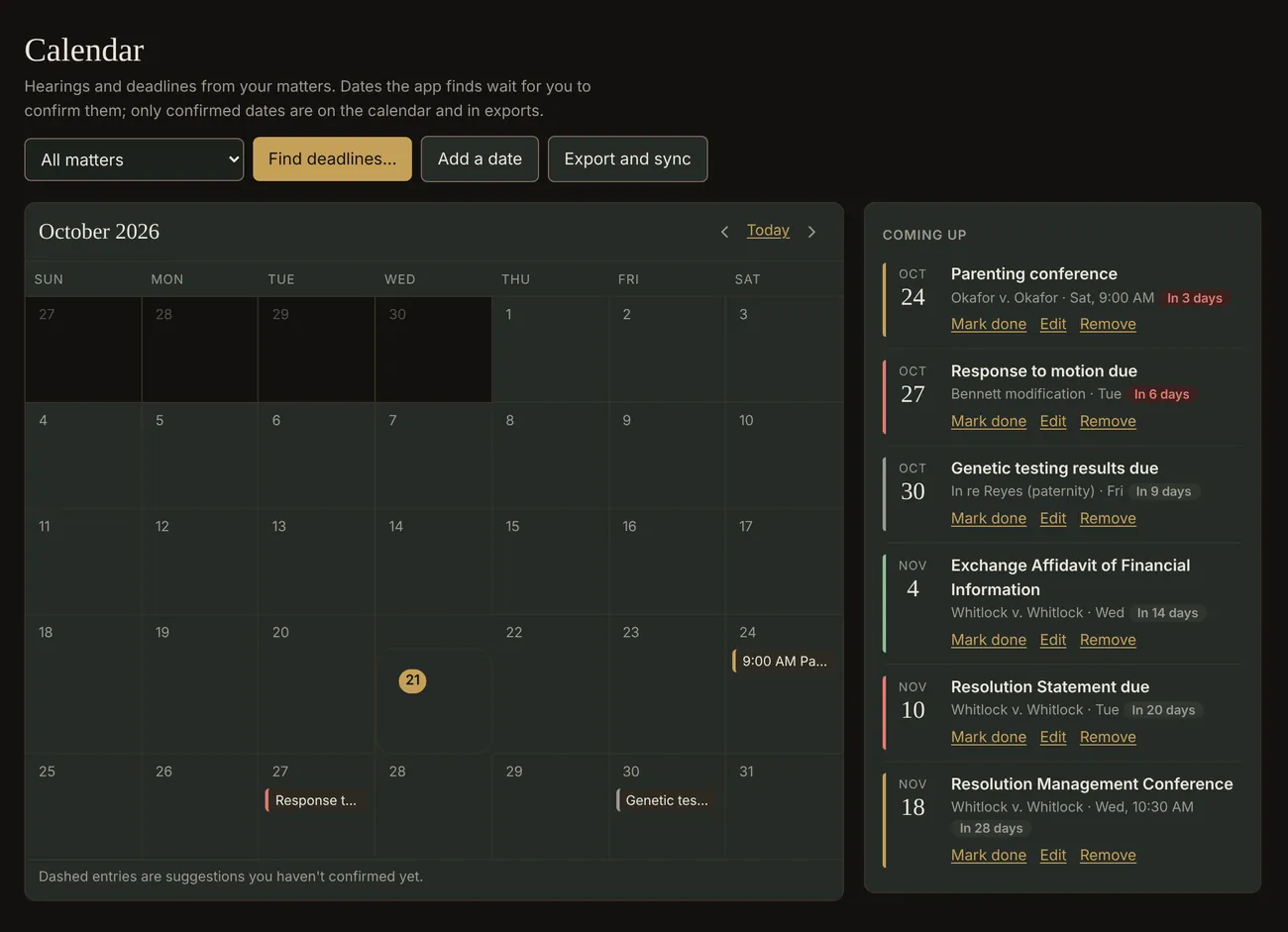
Before the coffee's done, you know what's due.
Every hearing and deadline across your matters, found in the filings, counted by the rules and waiting for you to confirm. The home screen lists the three things that need you first.
The private AI paralegal for small law firms
Counsel Local reads your case files, counts your deadlines, checks new clients for conflicts and keeps your billing straight. It works quietly on your own computer, the way a trusted paralegal works down the hall.
Runs on your computerClient files never go to the cloudShows its sources
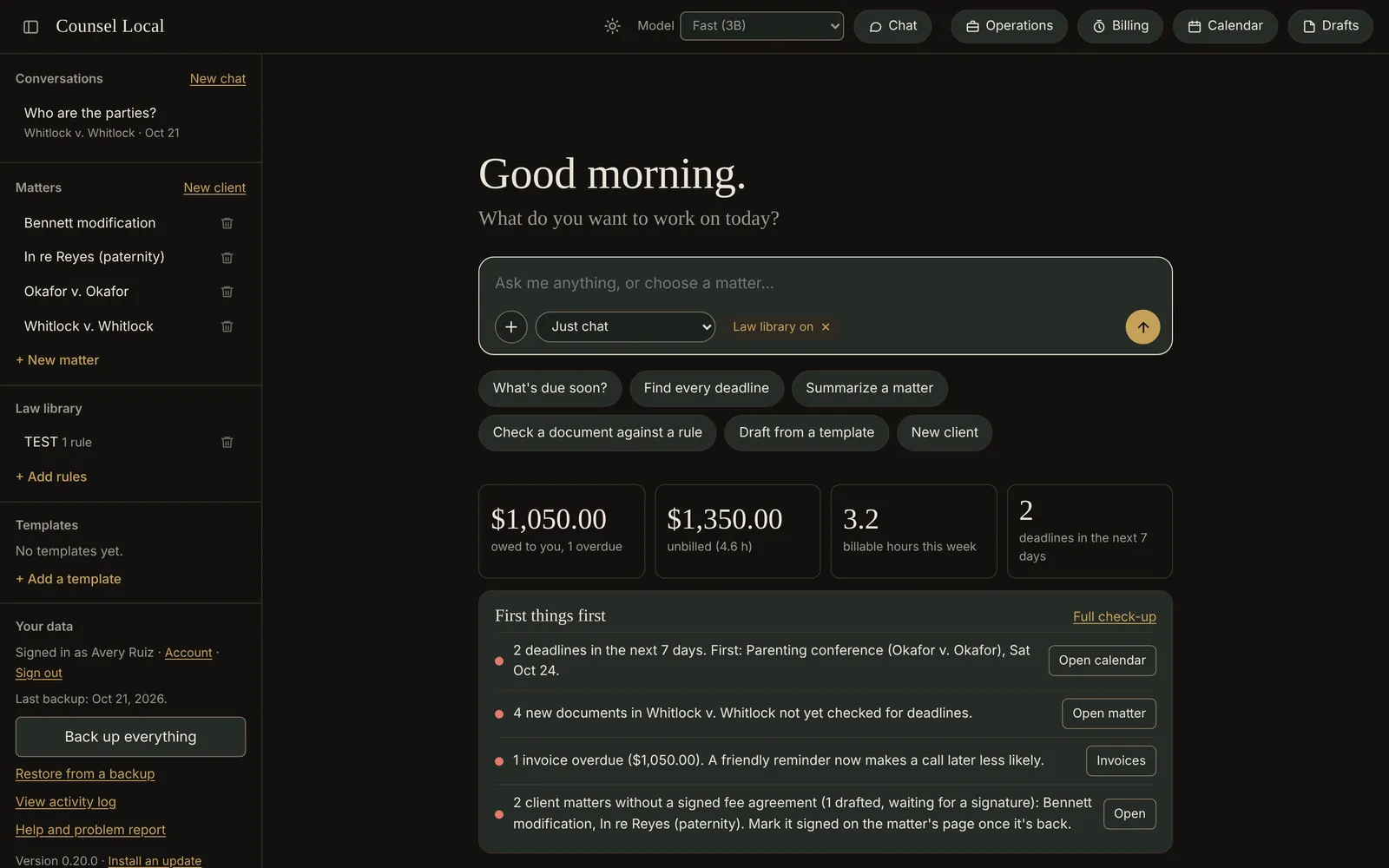
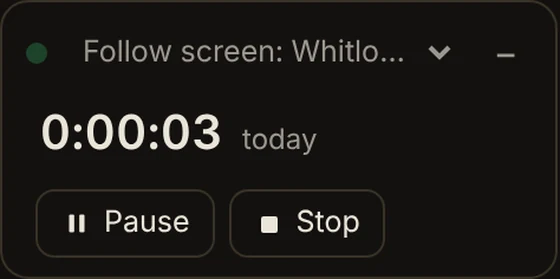
The clock in the corner counts the time you actually work on a matter.
Real screens from Counsel Local, shown with a sample case file. Every name is fictional.
Privacy
Client files hold some of the most private moments of people's lives. Counsel Local keeps them where they belong: on the computer at your desk, encrypted, behind your firm's own sign-in.
Questions are answered on your machine. No AI company on the other end reads your clients' documents.
Matters, documents, clients and billing are encrypted on disk, with a paper recovery key that stays in your drawer.
Files leave only when you move them yourself: a backup, a QuickBooks import file, a draft you send.
A day with Counsel Local
This is what an ordinary Tuesday looks like with Counsel Local open on the desk.
8:04 AM
Every hearing and deadline across your matters, found in the filings, counted by the rules and waiting for you to confirm. The home screen lists the three things that need you first.
9:30 AM
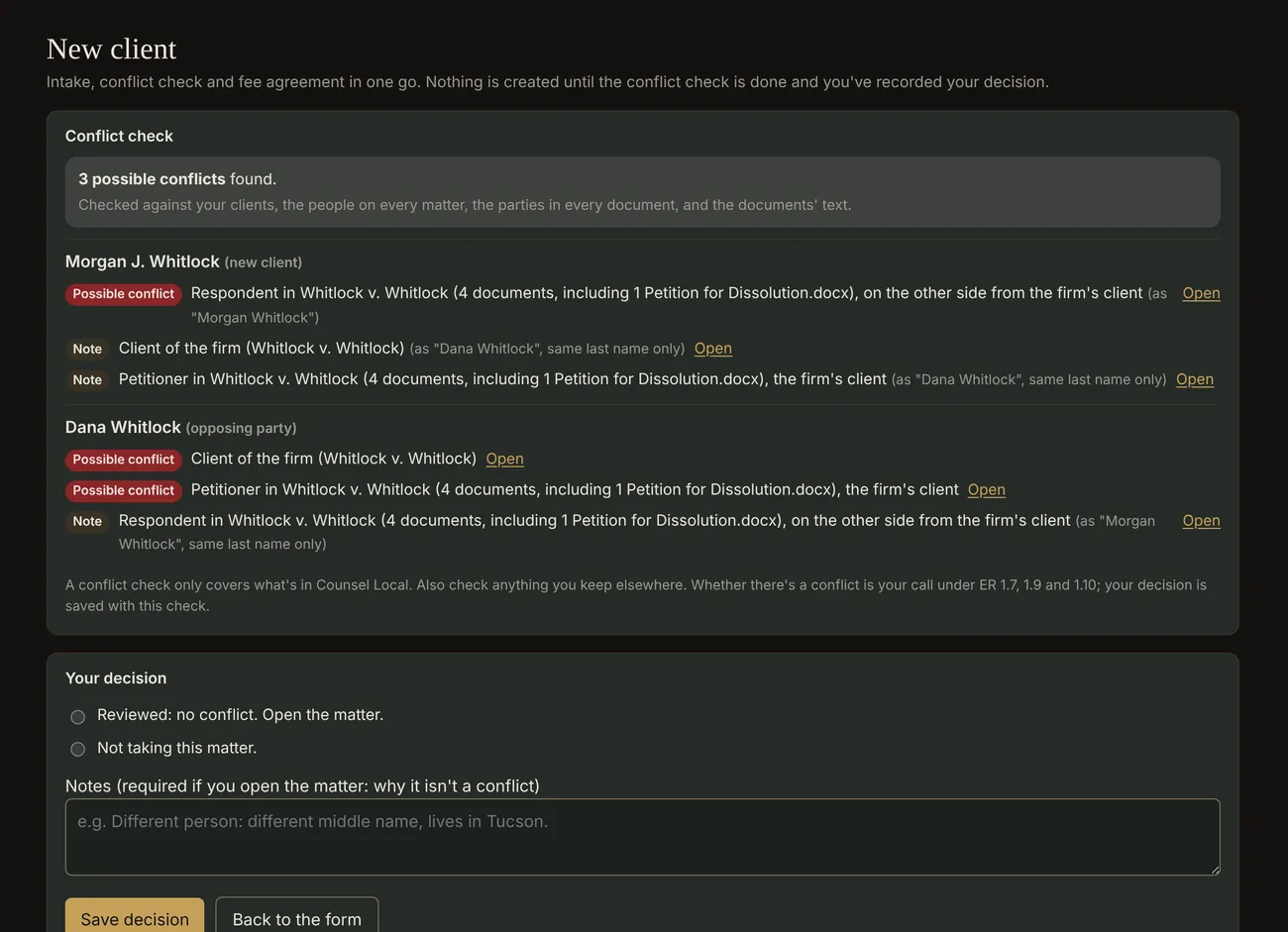
Type in everyone involved. Counsel Local checks each name against your clients, every past matter and every document, tells you which side they were on, and keeps your decision on record.
Possible conflict: Respondent in Whitlock v. Whitlock, on the other side from the firm's client.
11:15 AM
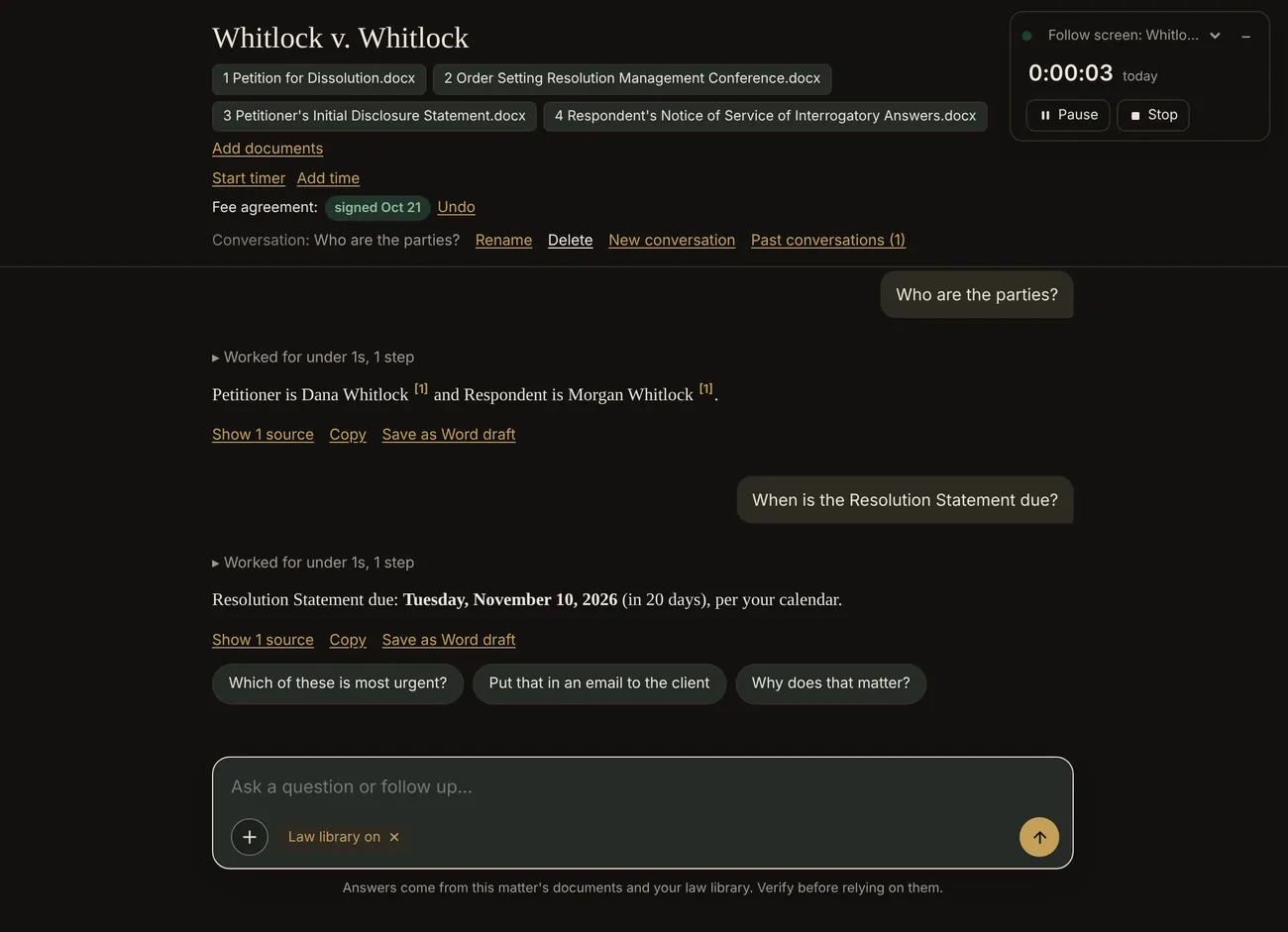
Ask about a case the way you'd ask a colleague. Every answer points to the document it came from, and deadlines are counted by the rule, court days and holidays included.
Tuesday, November 10, 2026 (in 20 days).
1:40 PM
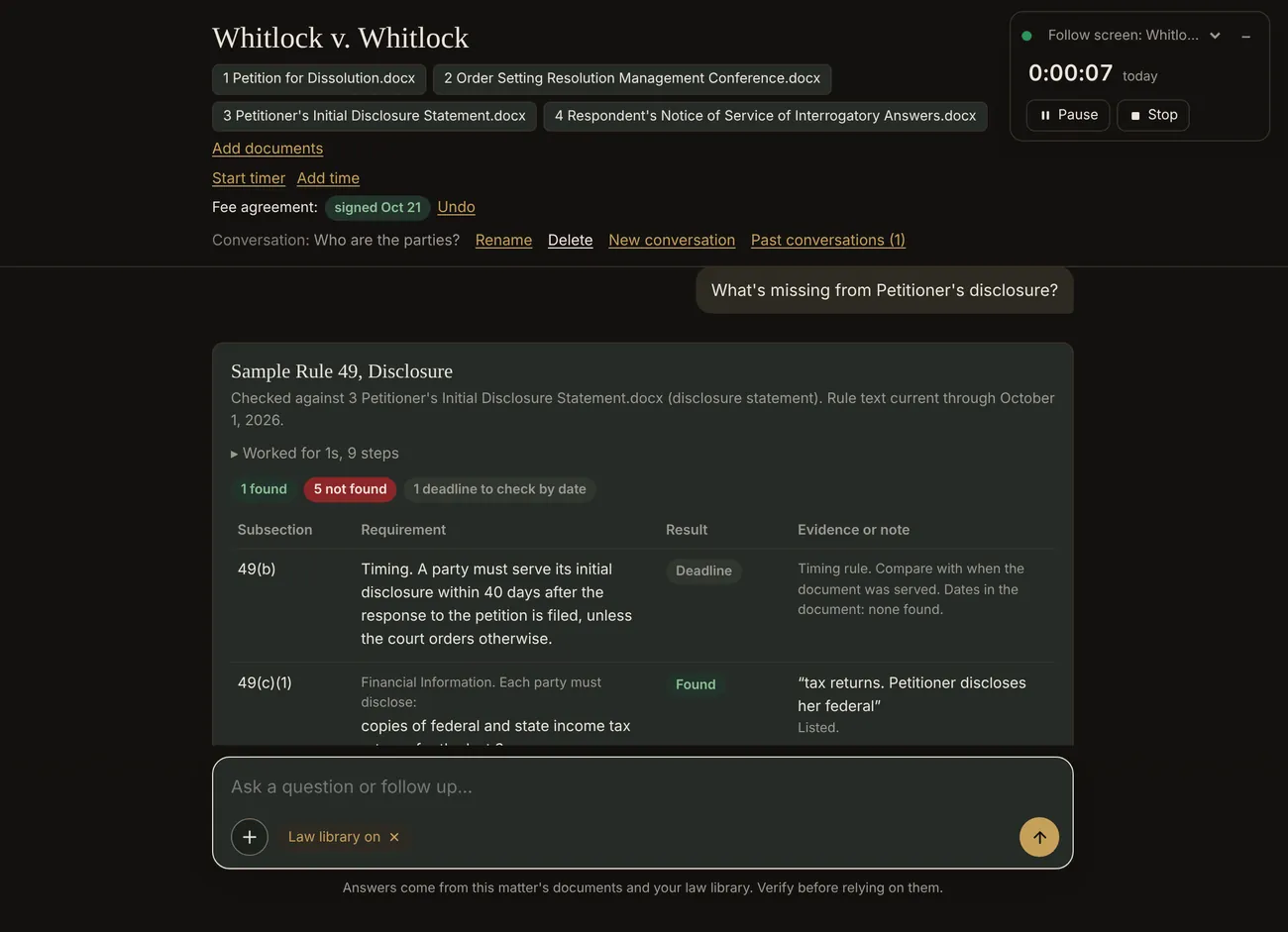
A Rule check goes through the rule requirement by requirement, quotes what's there, and lists what isn't. Then it can draft the language to fix the gaps.
1 found · 5 not found · 1 deadline to check by date
3:05 PM
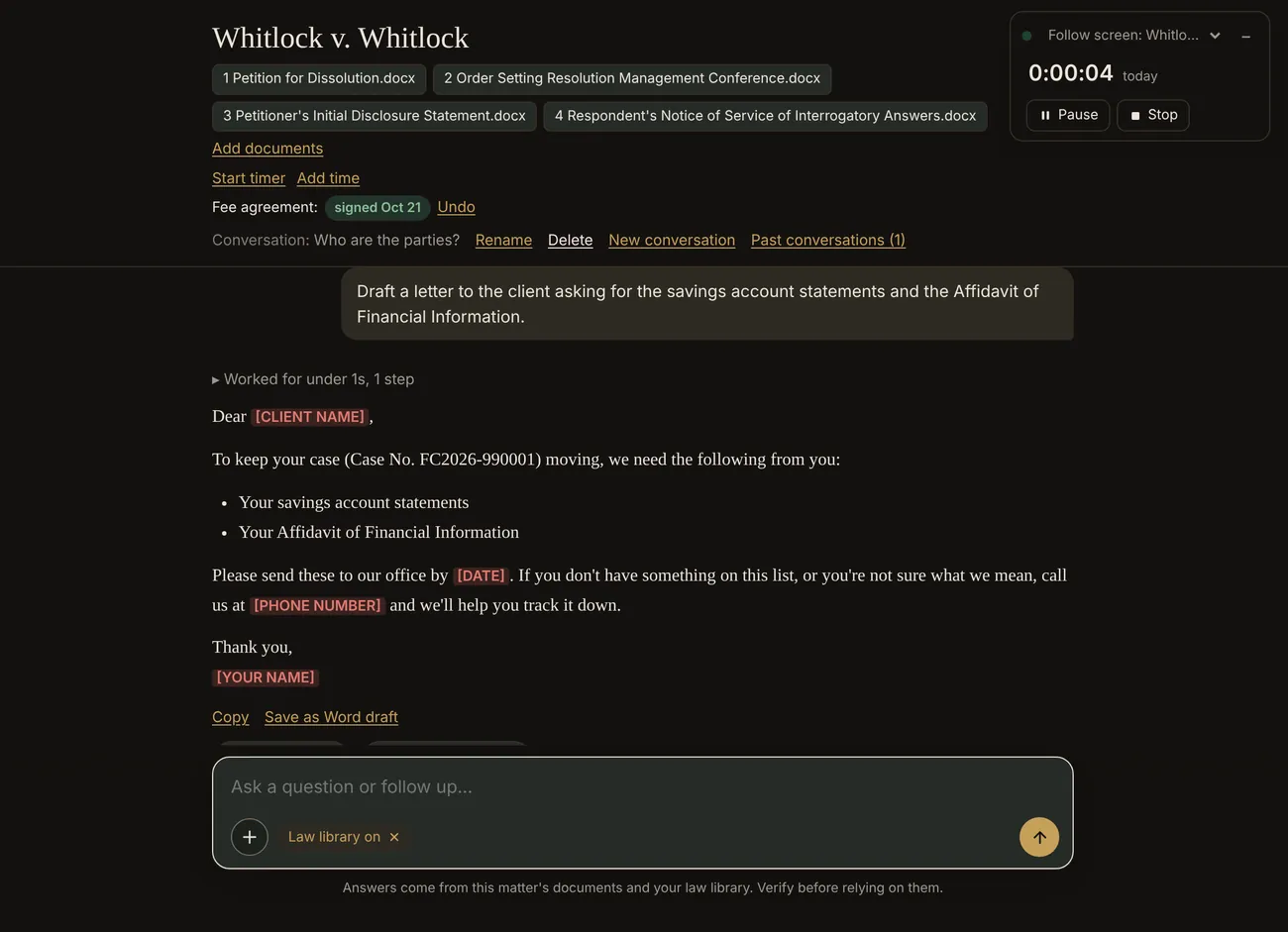
Ask for a letter and get one, with the case number filled in and anything it doesn't know left as a highlighted blank for you. Save it as a Word draft in one click.
5:20 PM
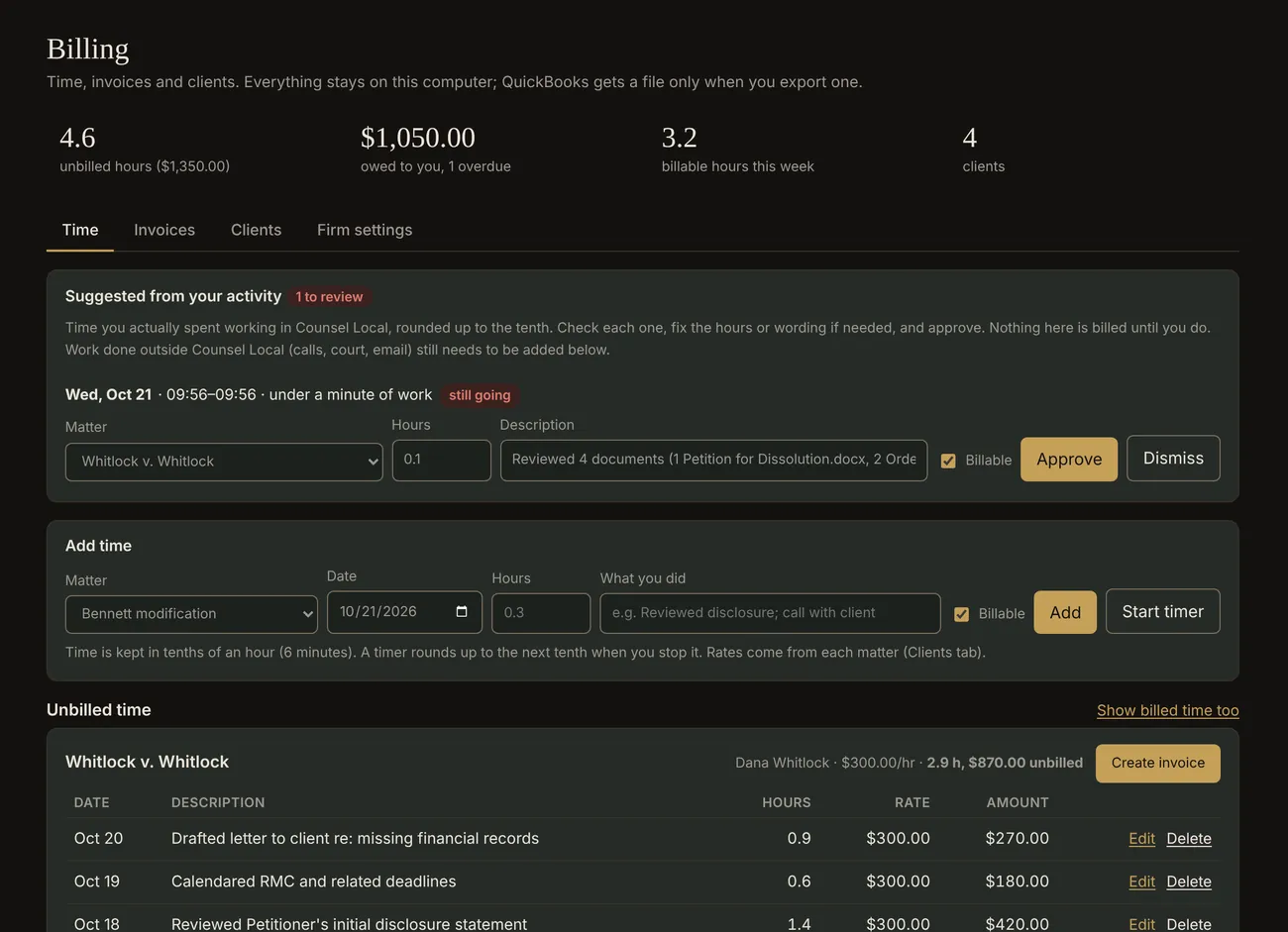
Counsel Local noticed which matter you worked on, and for how long. It suggests the time entries; you approve them. Invoices print to PDF and export to QuickBooks Online.
6:10 PM
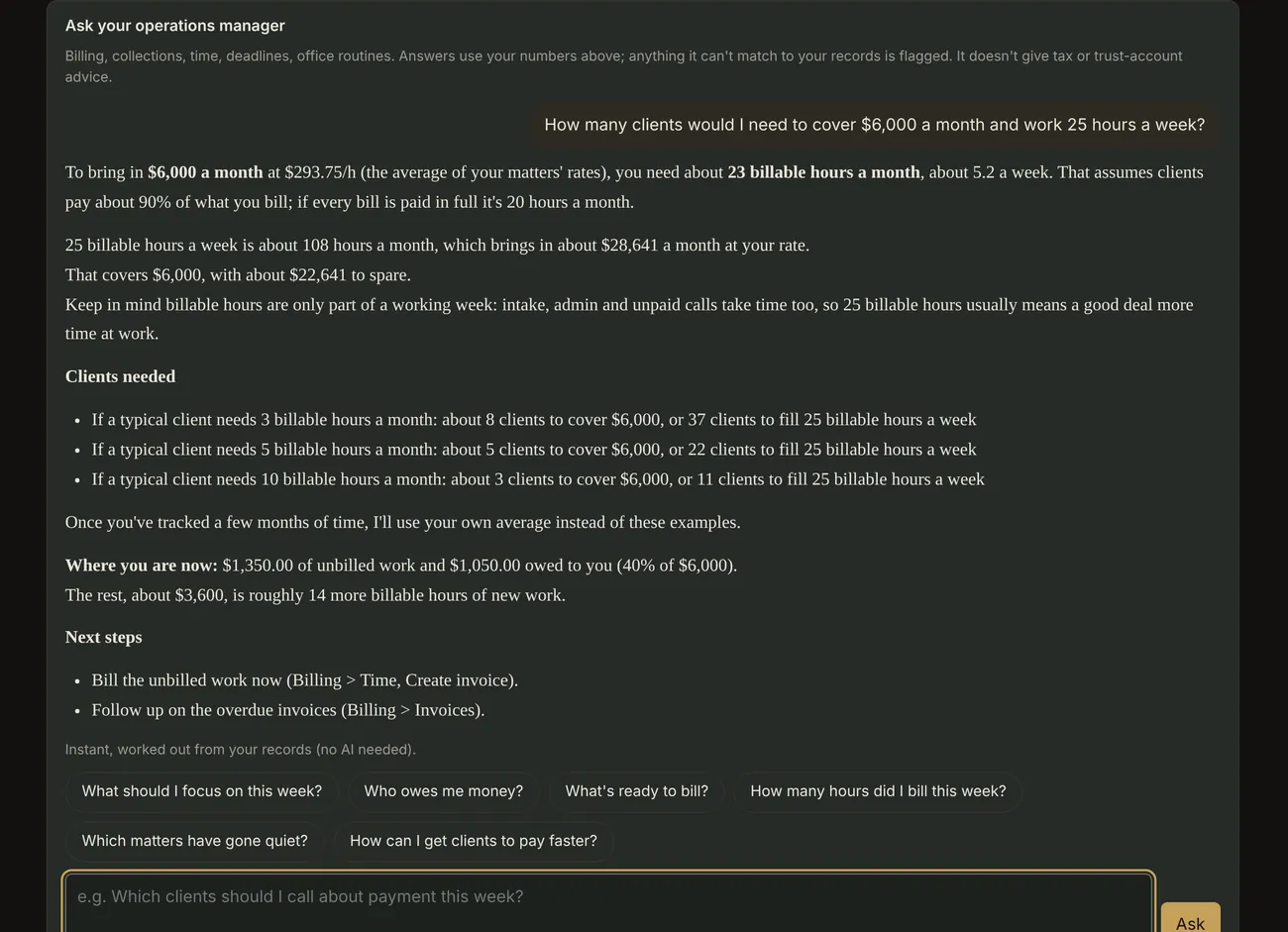
Your operations manager knows your numbers. Ask what it takes to cover rent, how many clients a full week means, or who to call about payment, and get the arithmetic worked out from your own records.
"How many clients would I need to cover $6,000 a month?"
For the ones still studying
Opening your own office used to mean doing a paralegal's job, an office manager's job and a bookkeeper's job after every client went home. Counsel Local takes the intake, the deadlines, the paperwork and the billing off your desk, so the work that's left is the reason you went to law school.
One computer. Your name on the door.
Tracked time is only a suggestion until you approve it, and only time you actually worked is counted. Nothing is billed on its own.
Every answer cites your documents. When it can't verify a date, figure or rule, it tells you so in plain words.
Counsel Local drafts, counts and checks. What's filed, sent or billed is always your review and your call.
Free for two months
Open to practicing lawyers, new lawyers and law students, on Windows or Mac. Ask for your key, download the app, and send us your notes. That's the only price.